File quality · 9 min read
Downloaded TikTok Has Sound but No Picture? How to Fix It
11/04/2026
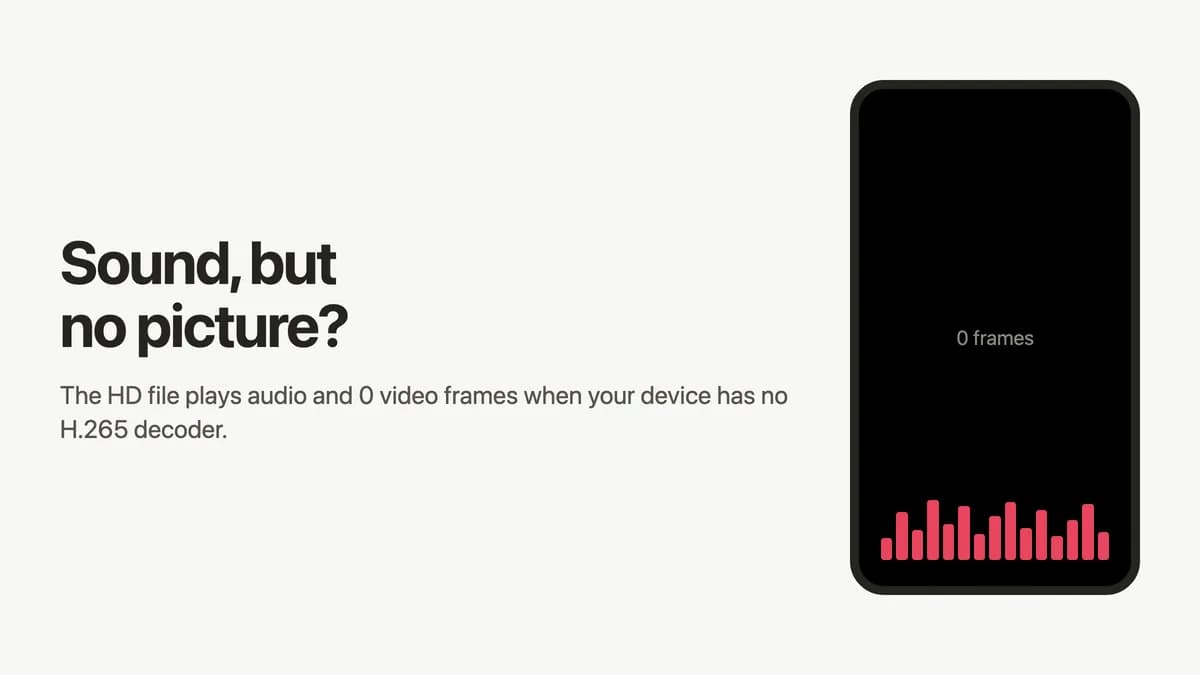
If a downloaded TikTok has sound but no picture, the likely cause is an H.265 (HEVC) video your player can’t decode. The audio is a separate AAC track, so it keeps playing. In our test, 15 of 16 HD files were H.265 and all 16 SD files were H.264, so try the SD file first.
Your file probably isn’t broken. The .mp4 extension only names the container. The picture inside is compressed with a codec, and not every device or app can read every codec.
We reproduced the problem and measured 16 public videos from four US accounts. This guide shows how to confirm the cause in a minute, then pick the fix with the least effort.
Why does a downloaded TikTok have sound but no picture?
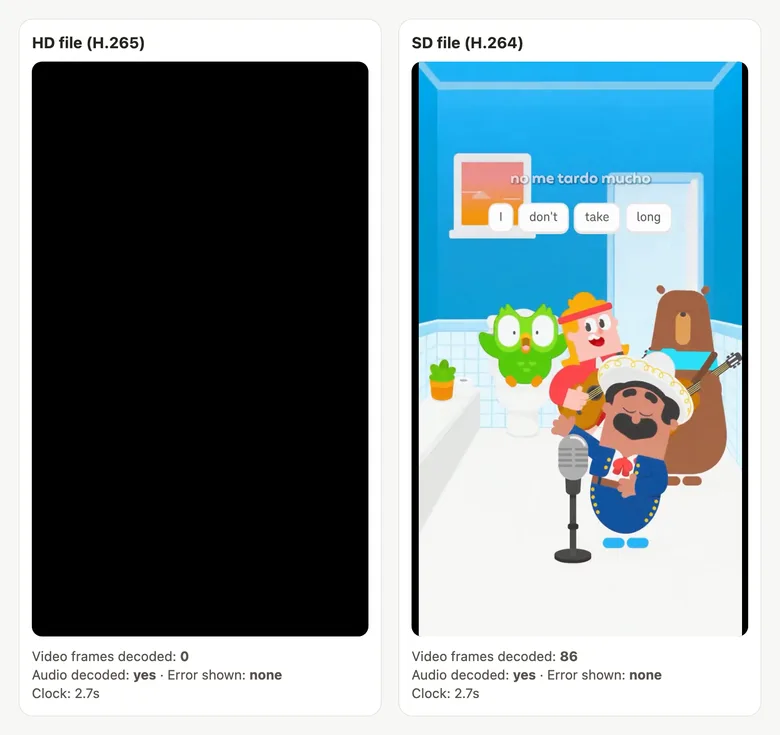
Picture and sound are decoded separately. In all 16 videos we measured, the audio was AAC. When a player has no H.265 decoder, it can still decode that audio and leave the screen black.
What makes this confusing is the silence. In our test the browser reported no error at all, and the clock kept counting. It looks exactly like a damaged file.
Other software may behave differently. Movavi lists a black preview and audio-only playback among its H.265 symptoms on Windows. Huawei documents a separate bug where some H.265 videos go black in Movies & TV when you zoom or switch to full screen. We haven’t tested those apps.
How to tell if the codec is the problem
The quickest test is to compare the HD and SD files of the same video. Run through these checks in order.
- Check the extension. A file ending in .mp3 came from the audio download, and it has no video at all.
- Check the file name. SnapTok files end in – HD.mp4 or – SD.mp4. The HD one is the likely H.265 file.
- SD plays, HD doesn’t: your player very likely can’t handle that H.265 file. HD can also be a higher resolution, so a slow device may be part of it.
- Neither plays: look elsewhere. The download may be incomplete, so download it again and try another player.
If you have ffmpeg installed, you can read the codec directly. This command prints hevc for an H.265 file and h264 for an H.264 file:
ffprobe -v error -select_streams v -show_entries stream=codec_name -of csv=p=0 video.mp4
4 fixes for a TikTok video with no picture
If you just want to watch the video now, use fix 1. If you need to keep the full resolution, use one of the other three.
| Fix | Resolution | Cost | Did we try it? |
|---|---|---|---|
| 1. Download the SD file | Drops to 720p or 576p in our sample | Free, nothing to install | Yes |
| 2. Open it in VLC | Keeps HD | Free app | No |
| 3. Install HEVC Video Extensions (Windows) | Keeps HD | $0.99 in the US store | No |
| 4. Convert the HD file to H.264 | Keeps HD | Free, much larger file | Yes, 2 videos |
Fix 1: download the SD file
Step 1. Open the SnapTok TikTok video downloader, paste the video link, and tap Download.
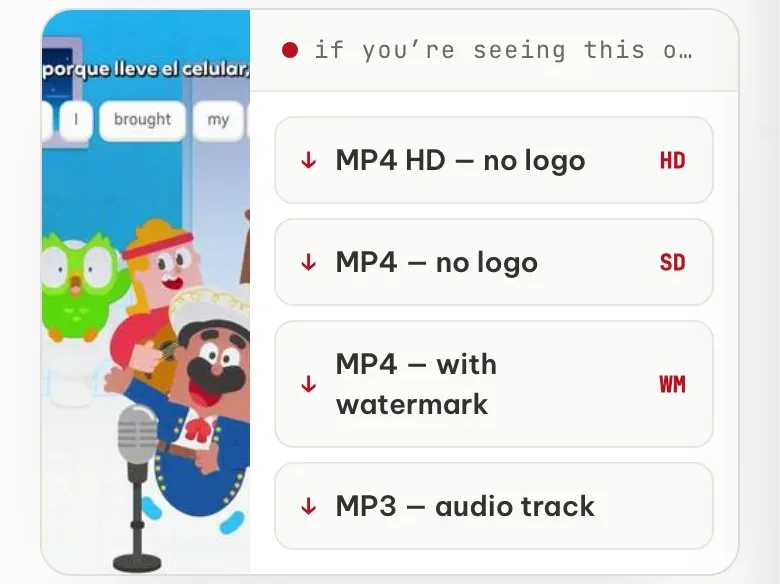
Step 2. Pick the second row, MP4 — no logo, with the SD tag on the right. Skip the top row, which is the HD file.
Step 3. Check that the file name ends in – SD.mp4, then open it. The tradeoff is resolution: SD was 720p on 8 videos and 576p on the other 8.
Fix 2: open the file in VLC
VLC is the option to try when you want to keep the HD file as it is. VideoLAN says VLC plays most codecs with no codec packs needed, and it lists HEVC hardware decoding since version 3.0 on Windows, Android, macOS, and iOS. We haven’t tried it, so we can’t say how smooth it is on an older machine.
Fix 3: install HEVC Video Extensions on Windows
This add-on from Microsoft is for people who want to stay in the apps Windows already has. On November 4, 2026, the Microsoft Store listing showed $0.99 in the US.
Microsoft says devices without hardware support get software decoding, and playback may vary with resolution and PC performance. The listing mentions Windows 10. Microsoft also lists a $0 version “from Device Manufacturer”. We haven’t installed either one, so we can’t confirm they work on your PC.
Fix 4: convert the HD file to H.264
Converting is the only one of the four that gives you a full-resolution file that opens on devices without H.265. The cost is size. We converted two videos on an Apple M1 Mac:
| Video | Before | After | Size change | Time |
|---|---|---|---|---|
| 17 seconds | 1.2 MB | 5.0 MB | 4.3× | about 9 seconds |
| 69 seconds | 5.9 MB | 15.9 MB | 2.7× | about 30 seconds |
This is the command we used:
ffmpeg -i HD.mp4 -c:v libx264 -crf 23 -preset medium -c:a copy output-h264.mp4
The converted 17-second file showed its full 1080×1920 picture in a browser with no H.265 decoder. If you’d rather not use the command line, HandBrake also exports H.264, though we haven’t tried it. With online converters, remember your file gets uploaded to someone else’s server.
Can old phones play H.265 TikTok downloads?
It depends on the phone, and we haven’t tested real older phones. What follows comes from the vendors’ documents plus one reading of our own. If your phone can’t play the HD file, fix 1 is still the fastest way out.
- Android: Google’s format table lists H.265 decoding from Android 5.0, at Main Profile Level 3 for mobile devices. The four HD files we inspected declared Level 5.0 or 6.2. So running Android 5.0 doesn’t guarantee a file like this will play.
- iPhone and iPad: Apple says you need iOS 11 or later, and that 1080p or lower at 60 fps or lower is more broadly compatible with older devices.
Should you stop downloading the HD file?
No, not if your device opens it. HD was smaller than SD on 9 of the 16 videos, despite the same or higher resolution. It was larger on 6, and on one video the two were the same file. In total, the 16 HD files came to 40.4 MB against 45.3 MB for SD.
A single video can swing either way, from about half the SD size to about 1.8 times. So keep HD as your default on a newer device, especially when you’re archiving your own posts. Reach for SD when you’re sending a file to someone whose device you don’t know, or when an app won’t accept the HD file.
What we measured: 16 TikTok videos from 4 accounts
On November 4, 2026, we ran 16 public videos, 5 to 90 seconds long, through SnapTok and read every file with ffprobe. HD wasn’t the same thing on every account, which is why it’s worth checking your own file.
| Account (4 videos each) | HD codec | HD resolution | SD codec | SD resolution |
|---|---|---|---|---|
| @duolingo | H.265 × 4 | 1080p × 4 | H.264 × 4 | 720p × 3, 576p × 1 |
| @natgeo | H.265 × 3, H.264 × 1 | 720p × 4 | H.264 × 4 | 576p × 3, 720p × 1 |
| @ryanair | H.265 × 4 | 1080p × 4 | H.264 × 4 | 576p × 4 |
| @espn | H.265 × 4 | 1080p × 4 | H.264 × 4 | 720p × 4 |
The exception is worth knowing. On the one @natgeo video with an H.264 “HD” file, HD and SD were byte-for-byte the same, so switching rows wouldn’t change anything.
To reproduce the fault, we played one video’s files in three browser setups on an Apple M1 Mac, watching about 2.5 seconds of each.
| Browser setup | HD (H.265) | SD (H.264) | HD renamed .mov or remuxed .mkv | HD converted to H.264 |
|---|---|---|---|---|
| Chrome 156, default | Picture and sound | Picture and sound | Picture and sound | Picture and sound |
| Chrome 156, H.265 decoding turned off with a launch flag | 0 frames, audio decodes, no error | Picture and sound | 0 frames, audio decodes, no error | Picture and sound |
| Playwright’s bundled Chromium (no H.265 decoder) | 0 frames, audio decodes, no error | Picture and sound | 0 frames, audio decodes, no error | Picture and sound |
What this test doesn’t show:
- Sixteen videos from four large brand accounts don’t represent all of TikTok. Your video may differ.
- The playback test simulates a missing decoder. It isn’t a real old device, and we didn’t try Windows, older phones, or editing apps.
- We confirmed audio from the decoded byte count, with playback muted, not by listening.
- We checked for a logo on the SD files of four videos, one per account, not on all 16. The H.265 level was read on those same four HD files.
Frequently asked questions
Will changing the file extension fix it?
No. We renamed an HD file to .mov and remuxed another copy into .mkv, and both still showed 0 video frames without an H.265 decoder. The codec is in the video data, so you have to re-encode it, as in fix 4.
Is a TikTok file with sound but no picture corrupted?
Not necessarily. The same HD file that showed 0 frames with H.265 decoding off played normally in default Chrome 156. Try another player or device before deleting it.
Can I get 1080p in H.264 from SnapTok?
Not directly. In our sample, every 1080p file was H.265 and the highest H.264 file was 720p. To get 1080p in H.264, convert the HD file as in fix 4.
Is the “with watermark” file easier to open?
It was H.264 on all 14 videos that offered it, but its resolution was never higher than the SD file’s. On 8 of those videos it was the same file as SD. Pick the SD row instead.
The short version
Sound with a black screen doesn’t mean your file is ruined. Try the SD file first, since it needs no install. If you want to keep the HD file, use VLC or the Microsoft add-on, or convert it to H.264.
You can download both versions with SnapTok and compare them yourself. It’s meant for saving your own videos, watching offline, and research, so ask the creator before reusing anyone else’s clip.